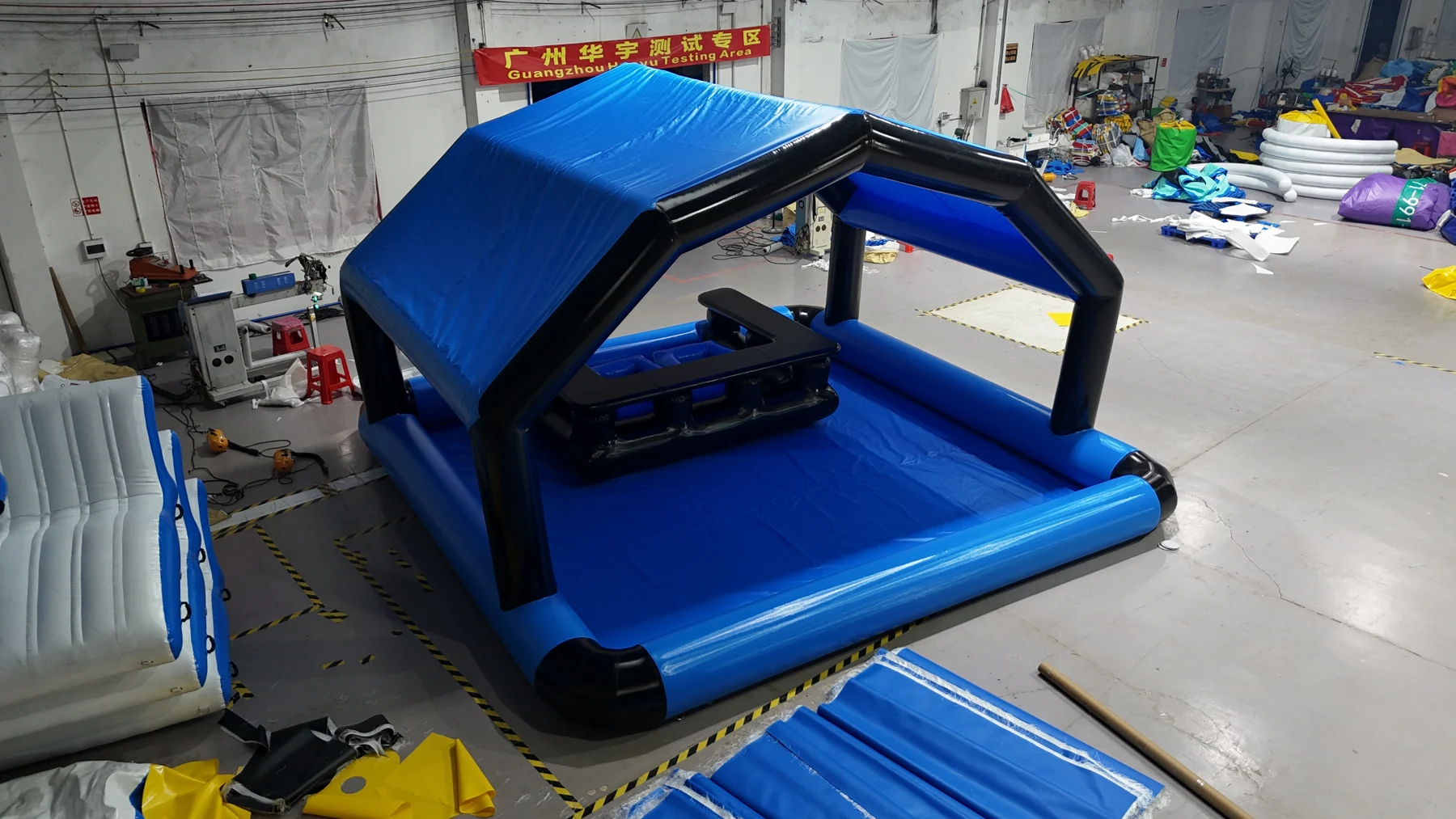
Before a custom floating platform ships, request current photos of the complete set and its important details, then compare them with your approved drawing and written component list. Use the same order reference throughout. A clear review connects the product you agreed to the set being prepared for dispatch.
DSPR’s shop order process describes sharing finished-product photos or video before dispatch. The checklist below helps you request useful views for a single-level floating bar or lounge. Agree the available footage and review stage with the team when confirming your order.
1. Start with the right reference documents
Keep the accepted quotation, component list and latest approved drawing together. Note the model, quantity, drawing revision and any later changes confirmed in writing. Use those documents when reviewing images; a catalogue photograph may show a different colour, furniture arrangement or accessory version.
For example, the Blue Haven reference layout has a peaked canopy, a counter and an open front deck. If your order changes that layout, review the agreed change rather than expecting every detail to match the reference photograph. If the order contains several platforms, ask how the images identify each unit.
2. Request views that answer specific questions
A single attractive overview leaves details hidden. Ask for the following views where relevant to your configuration. These are requests to discuss, rather than a fixed inspection package.
| View to request | Compare with your agreed order |
|---|---|
| Complete assembled set | Platform outline, canopy, furniture arrangement and boarding opening; include more than one side. |
| Seating and table or counter | Furniture types, quantities and positions. Ask for a clear view of parts hidden in the overview. |
| Branding close-ups | Logo spelling, orientation and placement against the approved artwork revision. |
| Fittings and access details | Positions of handles, valves, connection points and any agreed boarding component. |
| Dimensions needing confirmation | Request a stated measurement with units and, where practical, a clear measurement view. Perspective alone cannot confirm size. |
| Accessories laid out separately | Pump version, power information, repair items and any agreed extras, with an item count. |
| Packed set and package identification | Package count, package references and which components are in each package. |
Use the custom order checklist if the drawing or component list still has gaps. Settle those details before treating the images as a complete order review.
3. Ask for a short video when a still view is unclear
A slow walk-around can help connect separate photos and reveal an obscured side of the assembled layout. Tell the team which detail needs a closer view, such as the counter opening, seating arrangement or a particular fitting. Request a clear pause on that detail rather than simply asking for “more video”.
Review colour against the agreed material or sample reference where one exists. Lighting and screens can change its appearance. Photos and video also do not establish permitted load, occupancy, inflation pressure or suitability for your water site. Request the final operating specification and instructions separately.
4. Keep a short list of unresolved details
If something differs or is not visible, name the component and refer to the relevant drawing revision or quotation line. Separate a visible difference from a question needing clarification. Ask for an explanation, the agreed correction where needed, and updated evidence of the affected detail.
For example: “The approved drawing shows the logo facing the boarding side. Photo 03 does not show that face; please send that view.” This gives the team a specific next step without assuming an unseen detail is wrong. Keep the reply with the order documents and clarify any unresolved item before agreeing the next dispatch step.
5. Copy this request for your project conversation
Ask for packing dimensions, gross weight and package count in writing. Do not estimate them from the inflated platform or a photo of a box. Match the packing information to the destination and handling arrangements in your delivery and support plan.
Still planning your purchase? Request a custom platform quote with your starting layout, quantity and delivery country, and mention the order photos you would like to review. After submission, use your enquiry reference when sending sketches or follow-up questions by email or WhatsApp. An enquiry does not place an order or take payment.
YOUR NEXT STEP
Turn your shortlist into a quote.
Share your starting layout, quantity and delivery country. Add site details or a custom brief when available.
Request your project quoteDiscuss on WhatsApp ↗Product information checked against DSPR’s existing websites on 20 October 2026. Confirm current specifications and terms in your quotation.